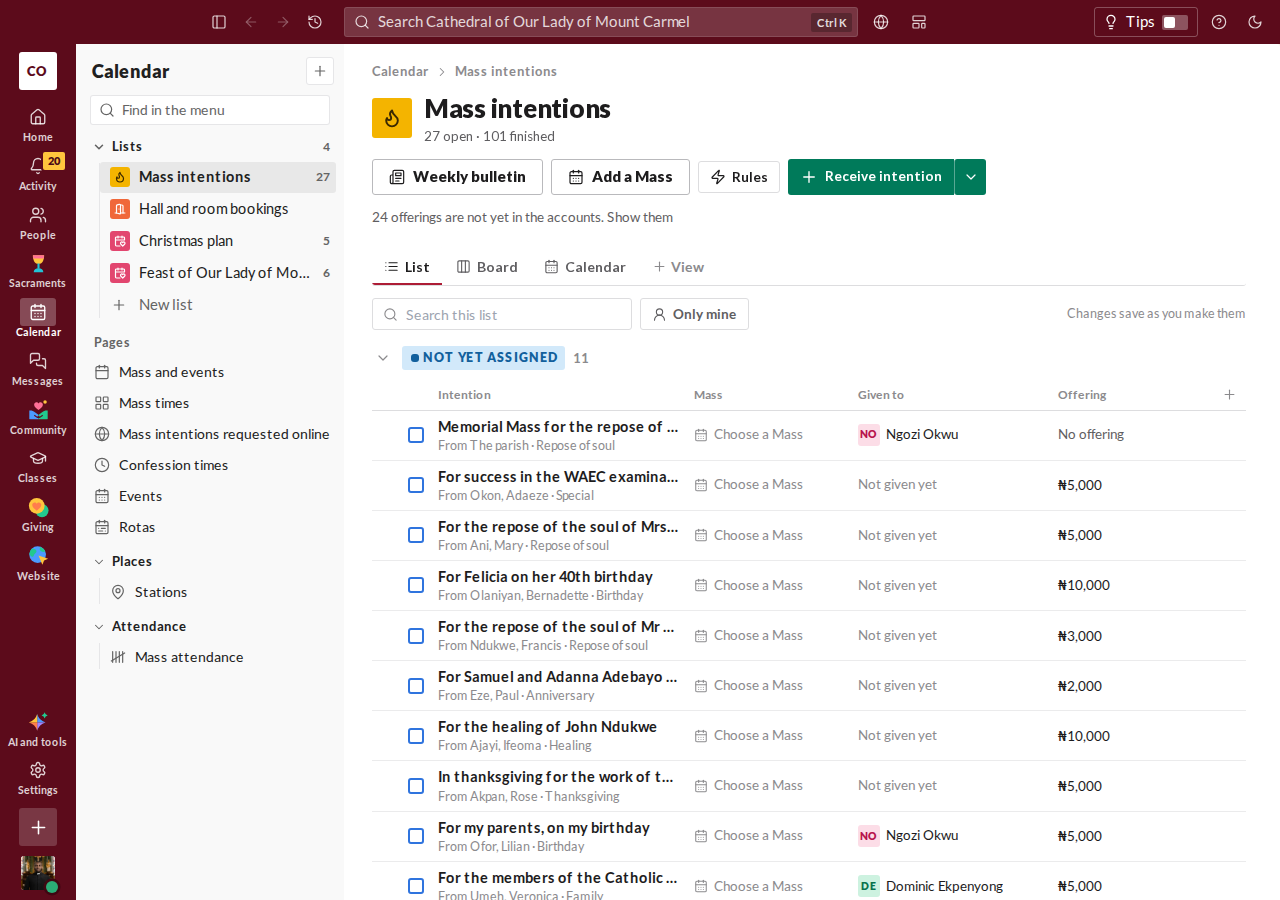
Receive an intention
- Press Receive intention.
- Under Requested by, choose Parishioner and find the person, or choose Not in the register and type a name. A phone number or email is optional.
- Choose a category, then write the intention. For example: For the repose of Mr Patrick Eze.
- If there is a Mass offering, enter the amount and currency. Leave the amount blank if none was given. Untick Offering received if the money will come later.
- Press Record intention.
You don't have to choose a Mass now. The intention waits under Not yet assigned until someone does.
The steps
Each intention is at one of four steps. Intentions are grouped by step.
- Not yet assigned: received, and waiting for a Mass.
- Scheduled: assigned to a Mass.
- Celebrated: the Mass has been offered.
- Cancelled: withdrawn or handed on.
Assign it to a Mass
Choose a Mass on the intention's row and press Assign. If the Mass you need isn't there, add it first with Add a Mass.
An intention that came with an offering gets a Mass of its own, so a Mass already taken by another offering can't be chosen. An intention with no offering can be remembered at any Mass. Tick This Mass is offered for this intention if that Mass is offered for it.
A collective Mass joins several intentions in one Mass, so the donor must agree first. The page asks who agreed, and asks you to confirm they were told.
After the Mass
Once a Mass has begun, you can mark its intentions celebrated. The Sacristy view lists each day's Masses, with the intentions to read aloud in order.
Work on several at once
Tick the intentions you want, then choose Mark received, Mark celebrated or Assign to a Mass. Any that can't take that action are skipped.
Mark an offering received
If the offering came later, use Mark received. It records the offering at its own amount and drafts it into the ledger. Mass offerings are kept apart from collections. An offering paid online is already on the books.
Cancel an intention
Press Cancel intention and say why. If an offering was received, a Mass is still owed for it, so the page asks what happens to it:
- Move it to another Mass here.
- Hand it on, with its offering, to another priest who will say the Mass. You name the priest.
- Return the offering to the donor. It is taken out of the ledger.
- Keep it as a gift, if the donor asked the parish to keep it. You record who asked and on what day, and it is recorded as a donation.
When too many Masses are owed
The page shows about how many Masses with an offering this parish can say in a year, and how many are owed. If more have been promised than the parish can say, it lists the Masses to hand on to another priest.