
 Anselm's console · sample data

 Dominic's console · sample data



The whole school office, on one screen.
Students, families, the timetable, the register, marks, fees and the school's own website.
Our team sets your school up with you. Every name and figure below is sample data.Every student, with their family. Search by name or registration number, see true counts, and list the students with nobody to ring.
In the console: Students, Admissions, Alumni, Classes
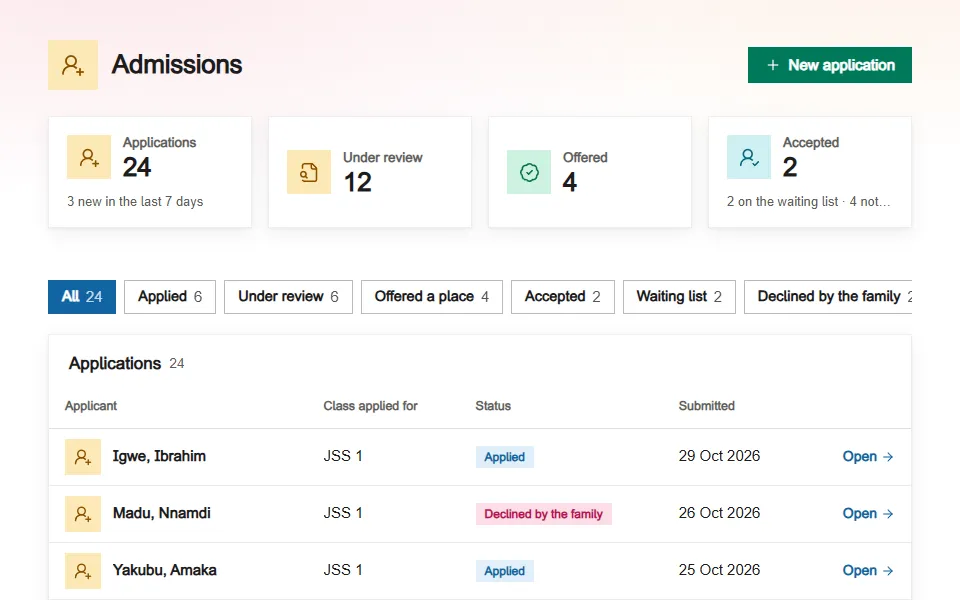
Admissions, step by step.
Applications arrive with their papers. Filter the list by stage.
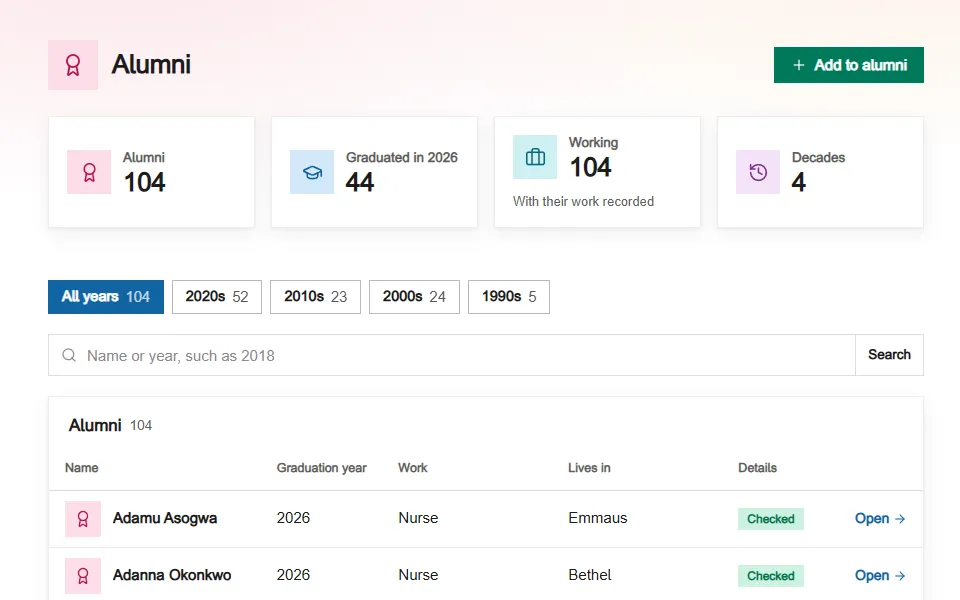
Former students who stay in touch.
Kept by the year they left, found by name or year. A record put away leaves the counts until somebody brings it back.
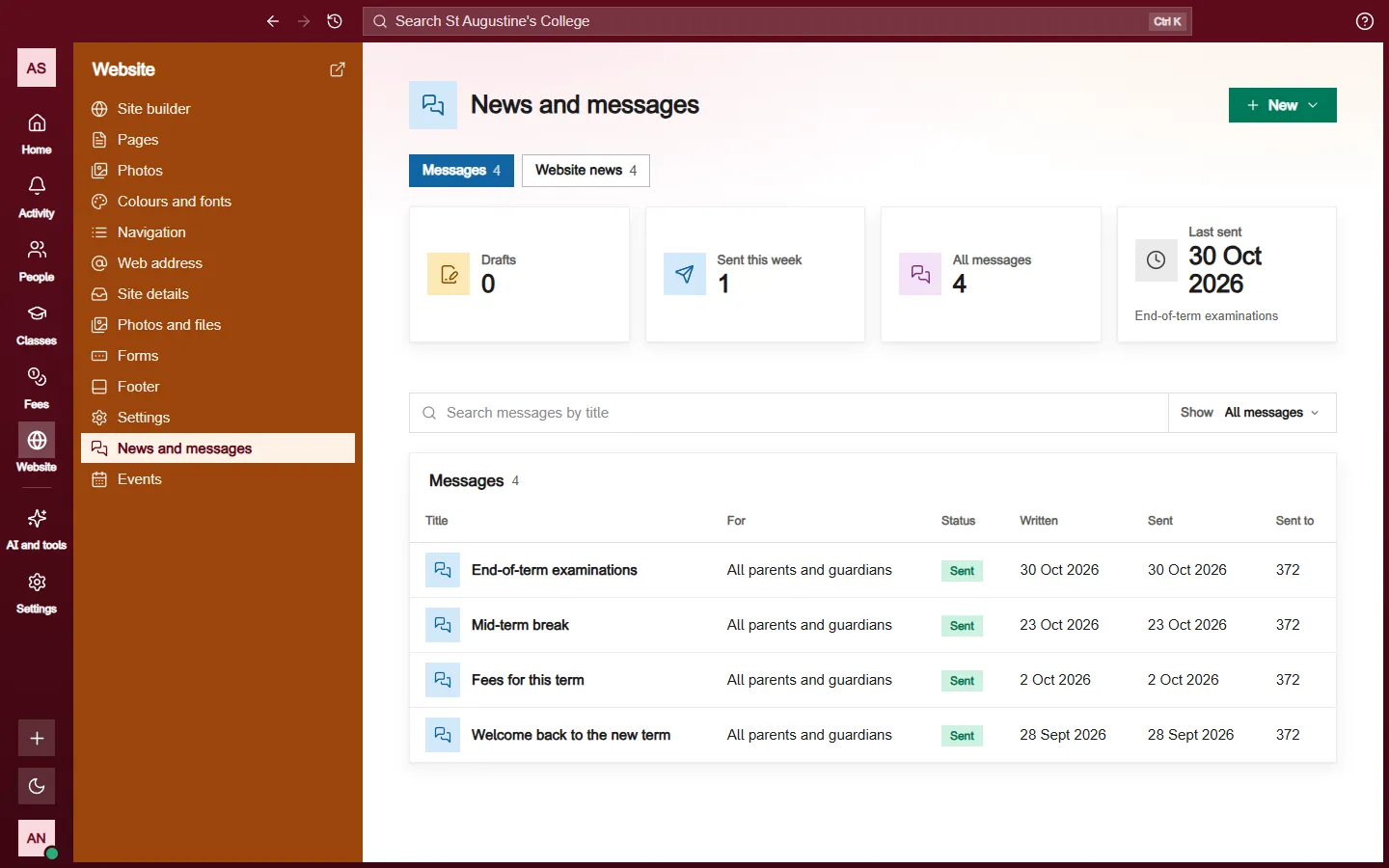
A message that says who it reaches. Before you send: how many it reaches today, and how many it cannot. After: who opened it, what bounced, and the children nobody was reached for.
In the console: News and messages, Events, Students
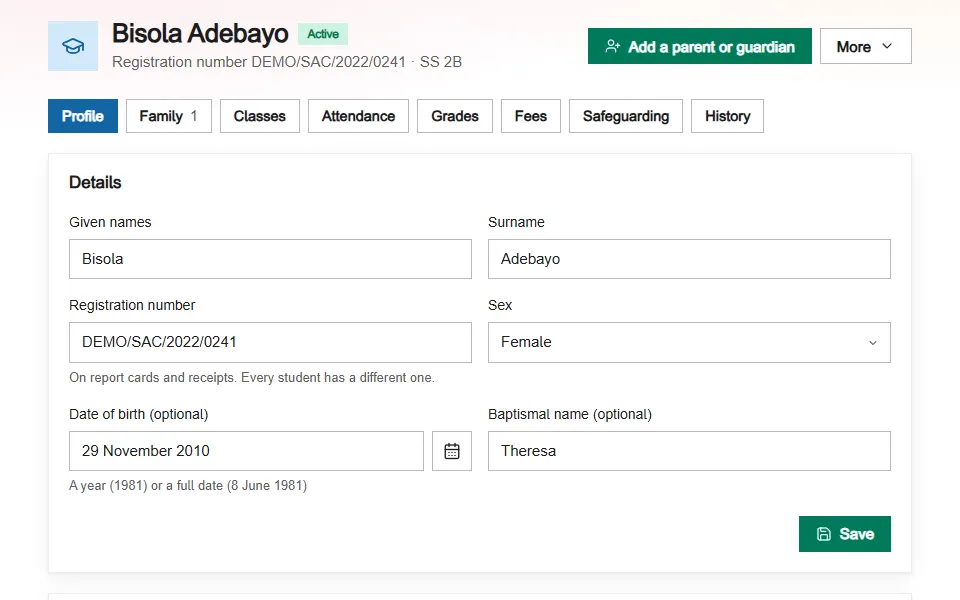
One link ties a parent to their child.
The school sends an invitation; the parent accepts and sees their own child: marks, attendance, what is still to pay, and the school's messages.
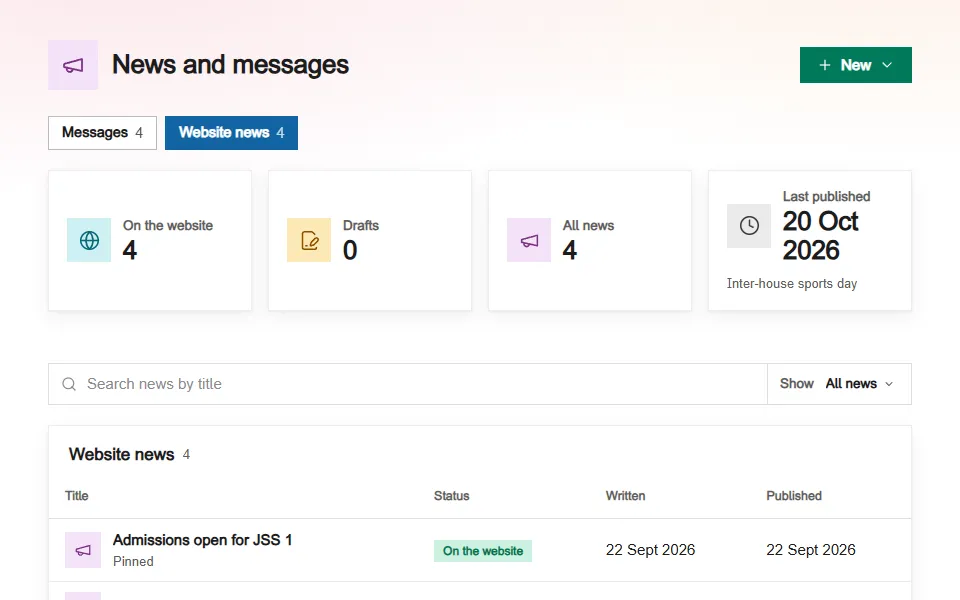
The same page writes the news.
Messages go to people and news goes on the website. Both are written on one page, so an open day is announced once.
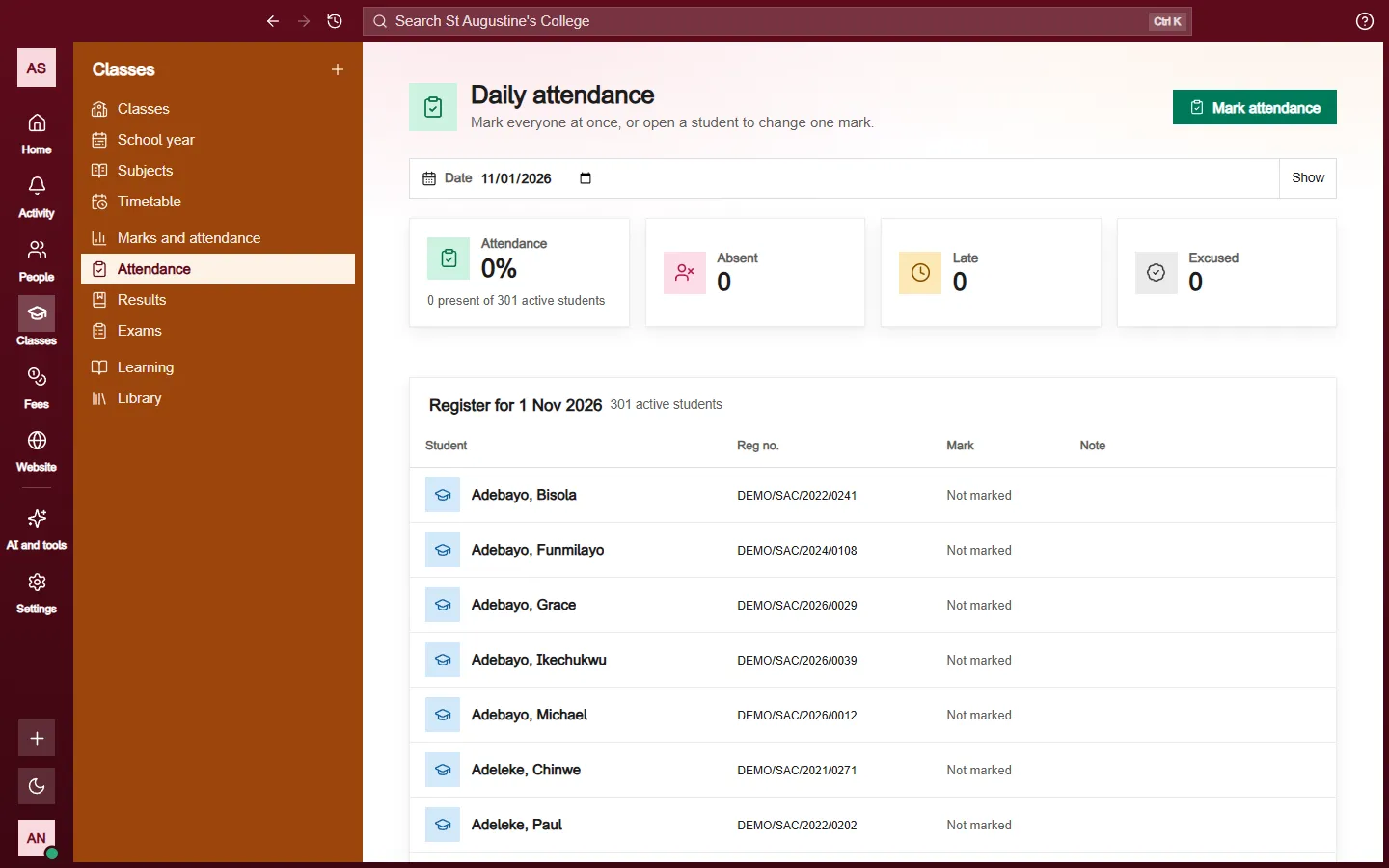
The school year, term by term. Start the school year, build the timetable, mark the register, enter marks against each sitting, and move the school up a year when the year ends.
In the console: School year, Classes, Subjects, Timetable, Attendance, Results, Exams, Library
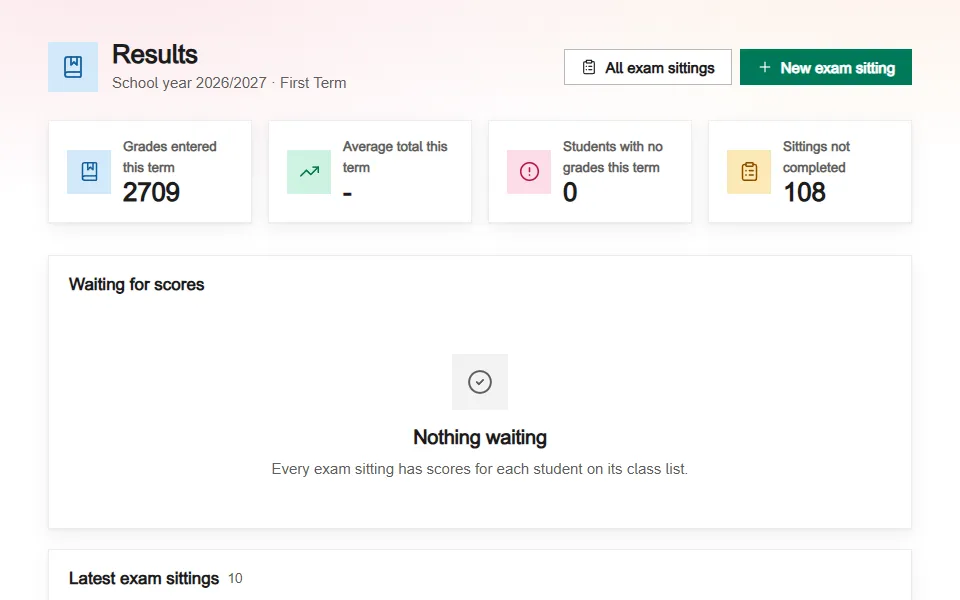
Marks, sitting by sitting.
Each sitting reads its own class list, so the number of marks still to enter is the real one.
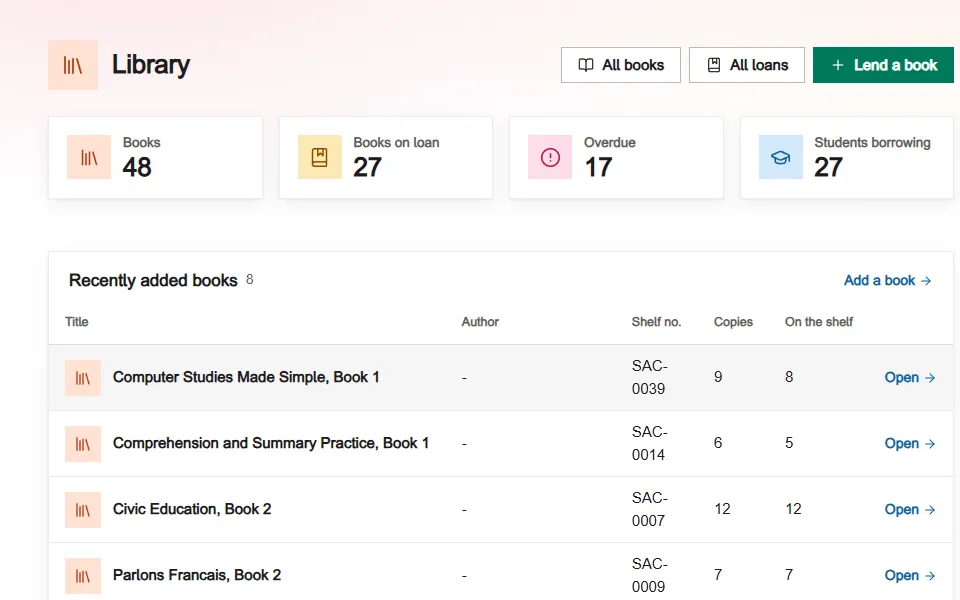
The library, and what is out.
Books, loans, and what is overdue from the day after it was due.
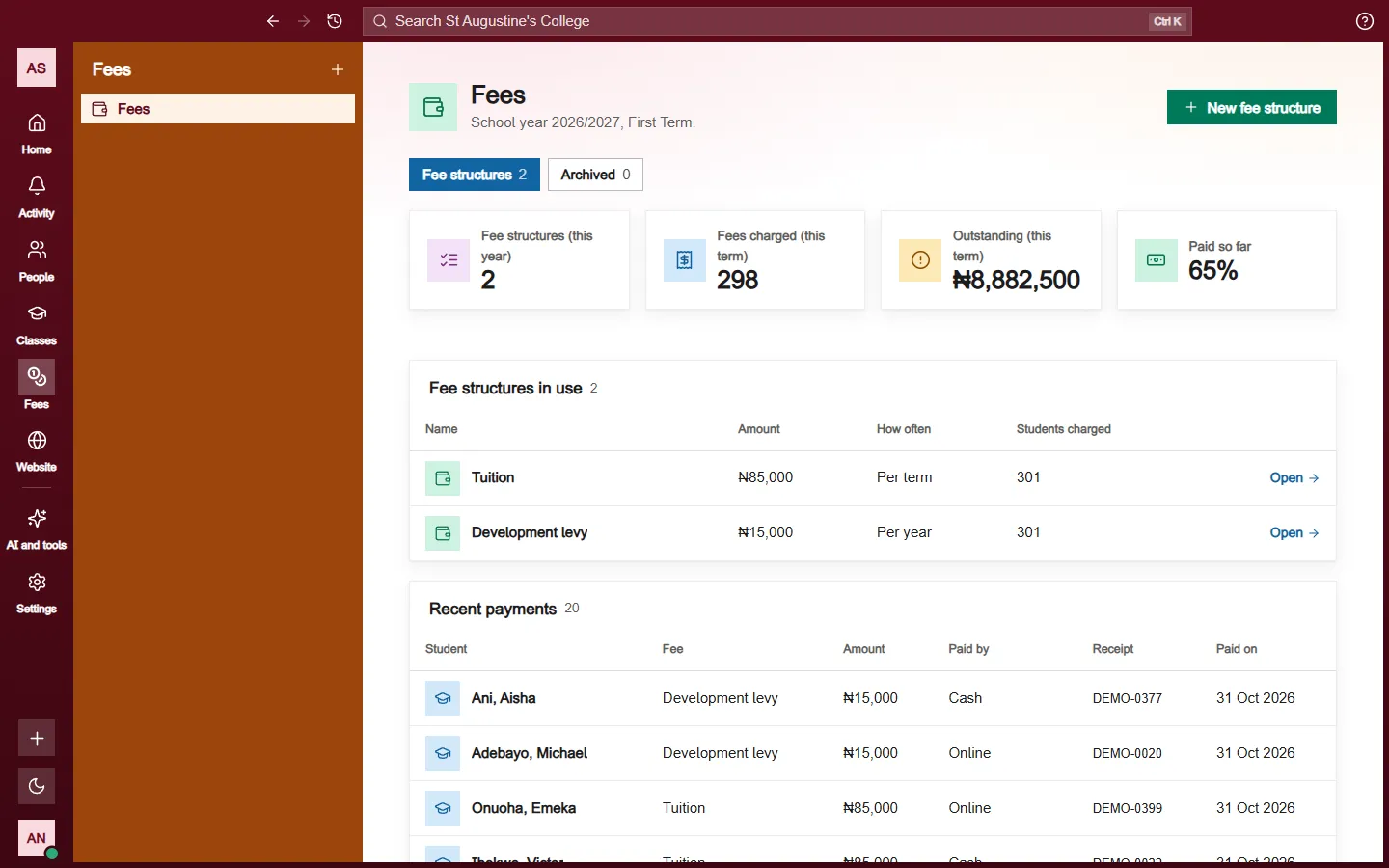
What each family owes. Fees by class and term, every payment with its own receipt number, and a mistake put right by voiding it with a reason, never by changing a figure.
In the console: Fees, Students, Billing, Add-ons
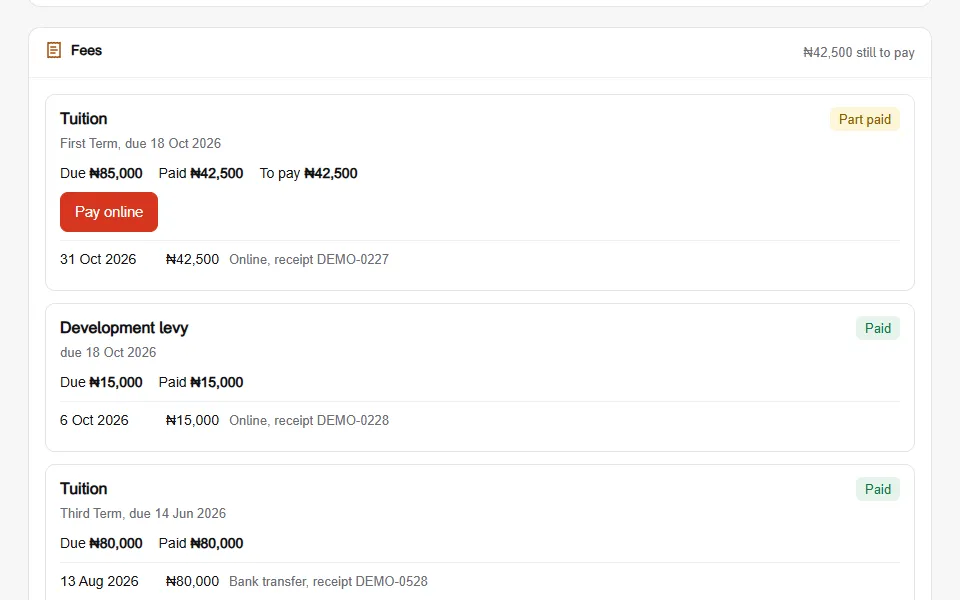
A statement the family can read.
On the parent's own page: what is due, what has been paid, and a voided payment struck through with its reason.
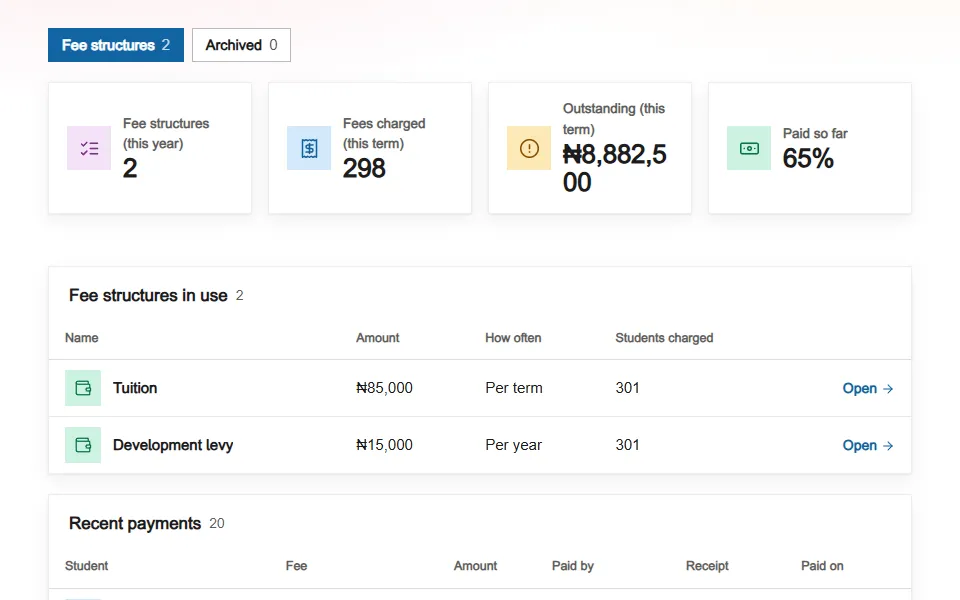
Every change keeps its reason.
A void keeps the reason, the person and the day. A fee structure put away leaves the term's figures and waits under Archived.
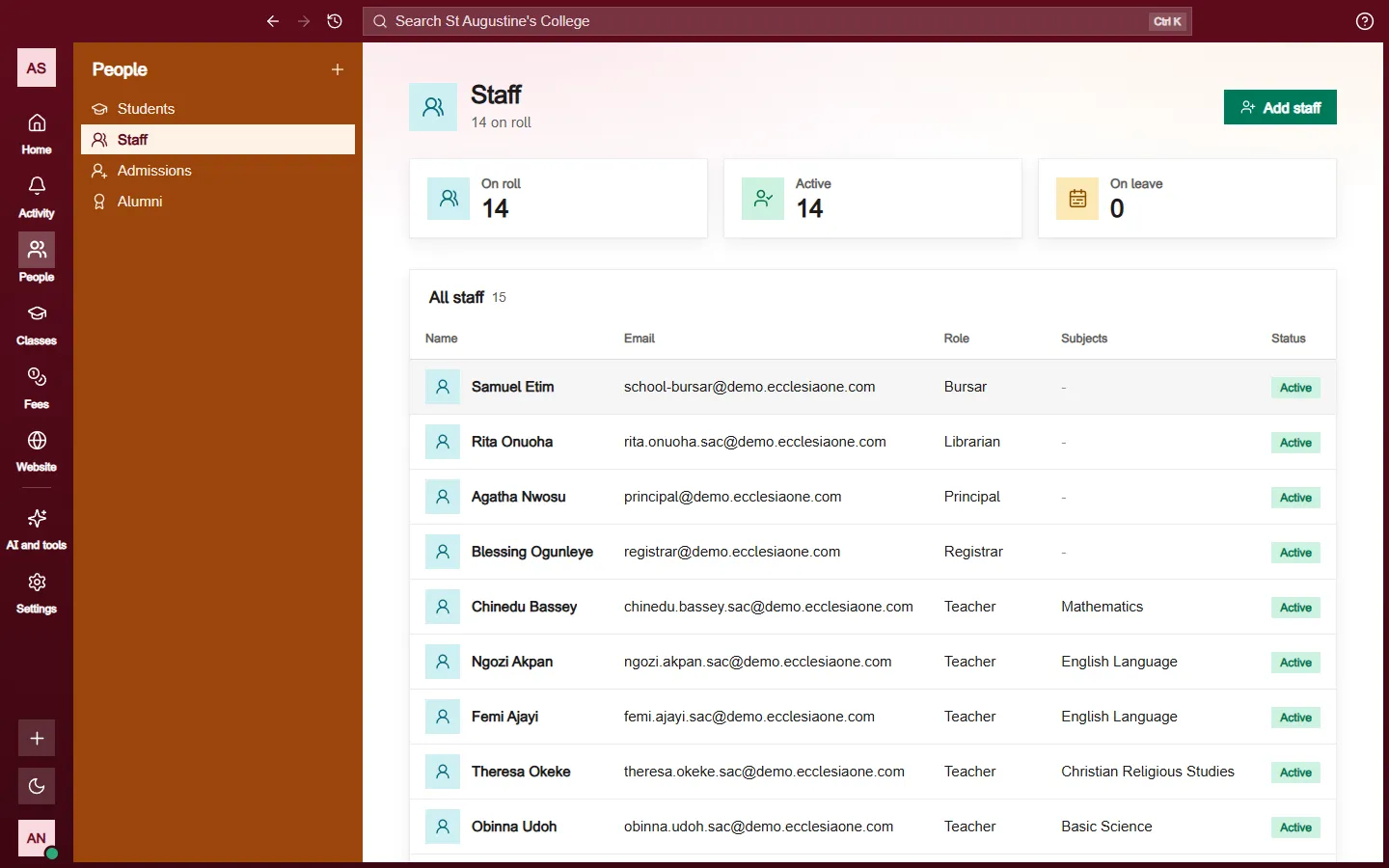
Who teaches here, and who is cleared. Staff with their office and their standing, and a safeguarding page that names who receives a report before anybody files one.
In the console: Staff, Safeguarding, Settings
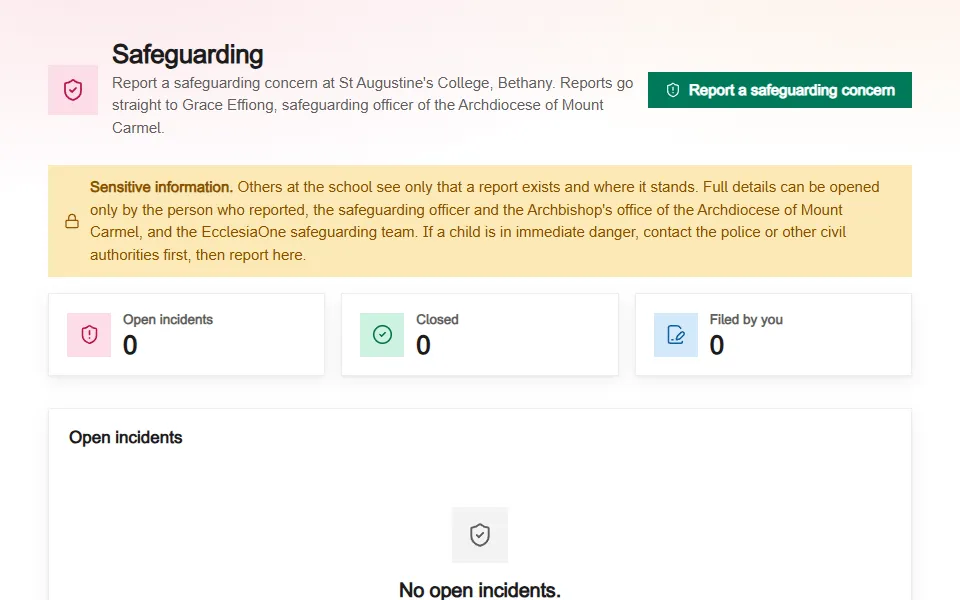
A report goes to a named person.
The diocese's safeguarding officer or the bishop's office receives it. Where no diocese can receive it on EcclesiaOne yet, the EcclesiaOne safeguarding team does. The route is fixed when the report is filed.
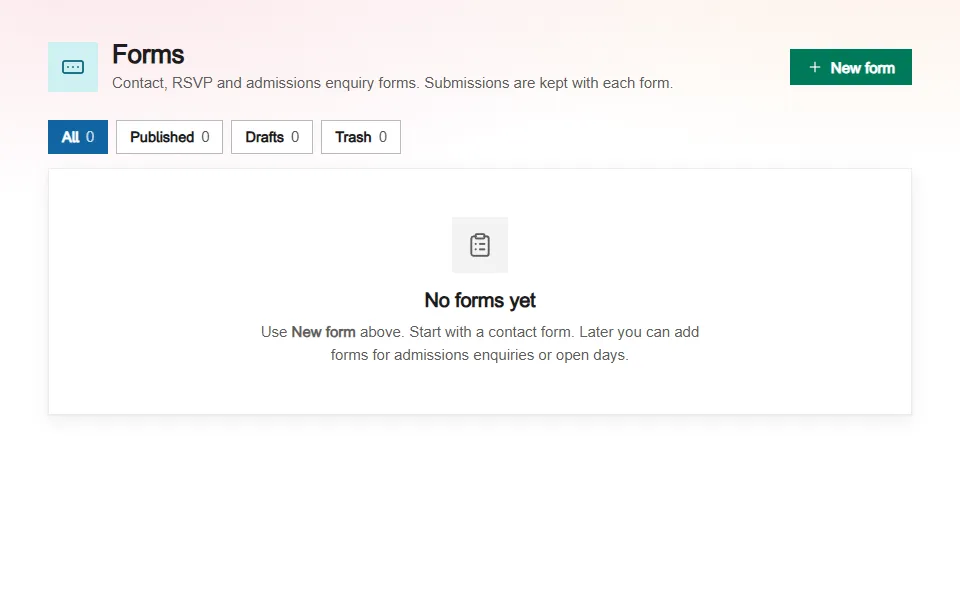
Each office opens its own pages.
A teacher sees their own classes. The bursar sees the fees. The registrar sees records. Nothing opens to everybody because they work here.
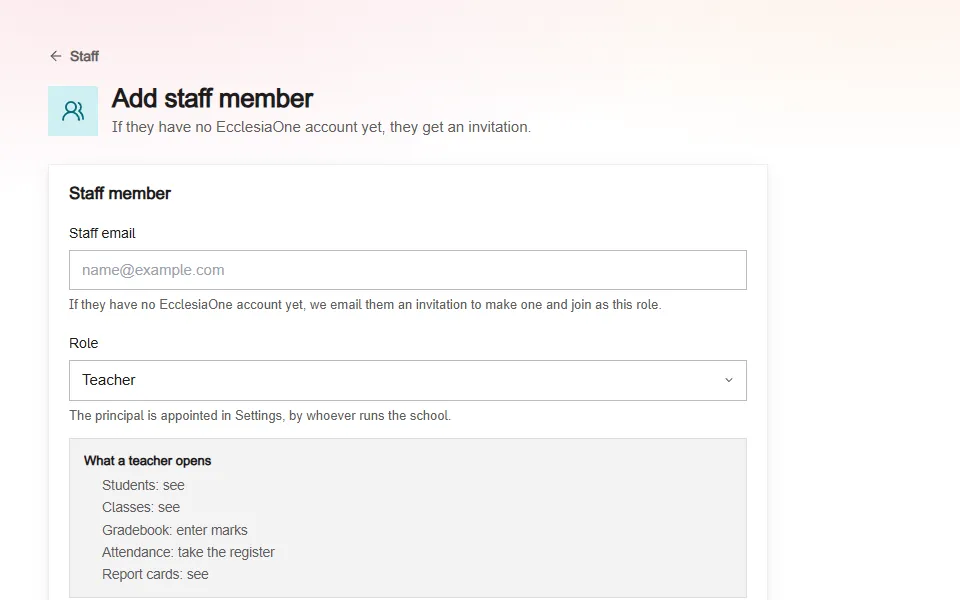
A school website you keep yourself. Pages, news, events, albums and forms, in your own colours, at a web address you own. The preview shows what visitors see before you publish.
In the console: Website, Events, Settings, Trash
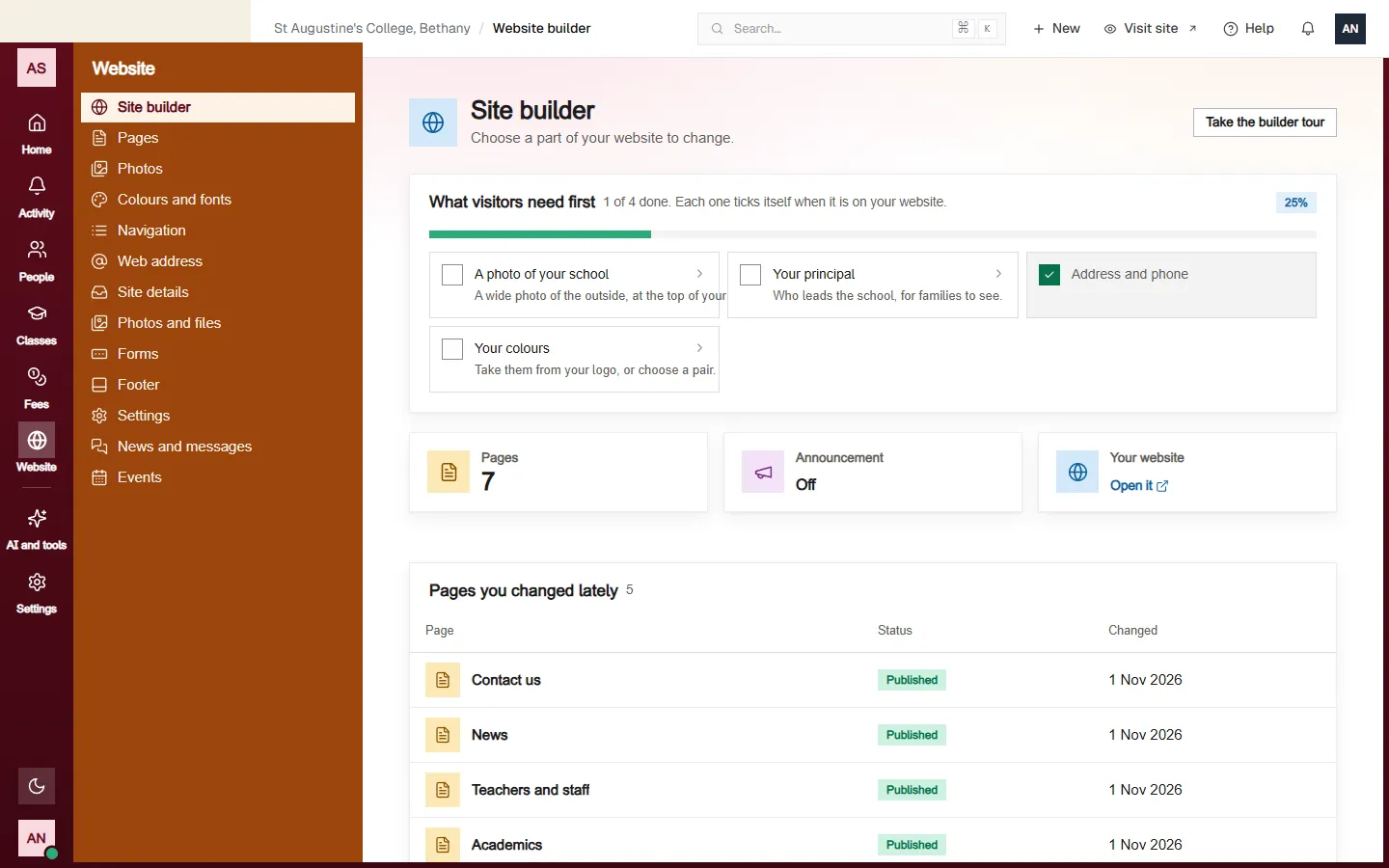
Forms that come back to you.
An admissions enquiry, a bus form, a consent slip: build it on the page and read the answers in the console.
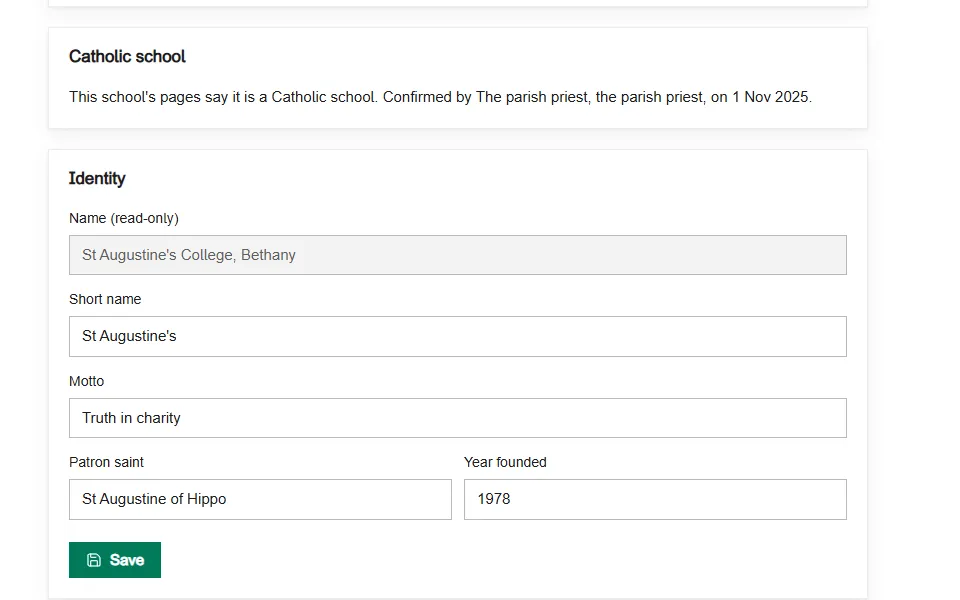
The word Catholic, once it is confirmed.
Your parish priest, or the diocese, confirms in one click that the bishop recognises your school. Only then does the word stand on your pages.
What stays with the school.
Two plans for a school.
Essentials has the students, classes, timetable, register, marks, fees and website. Pro has no message limit and more storage. Monthly, or yearly at about 3% less.
- Students, families, staff, admissions and alumni
- School year, classes, timetable, register, marks and exams
- Fees, receipts and each family's balance
- The school's website, with a web address you own
- Four messages a month, and 2 GB for photographs and files
- Everything in Essentials
- Messages with no monthly limit
- Your own sections and the fuller looks for the website
- One web address included in the price
- 25 GB for photographs and files
Text messages are paid to your own provider, and a web address name is bought from a registrar. Our team sets the school up with you.
Questions a head teacher asks.
No. It sees the kind of school, how many students, whether it is active and who the principal is. Never a student, guardian or staff name, and never fees, marks or attendance.
It still reaches them in the app. Before sending, you see how many it cannot reach. Afterwards you see the children whose families were not reached.
Nursery, primary, secondary, seminary, college and university each get their own pages: faculties and transcripts for a college, the stages of formation for a seminary.
Then the school runs on its own, and a safeguarding report goes to the EcclesiaOne safeguarding team. The safeguarding page says so before anybody files one.
Yes, on either plan. You buy the name from a registrar and point it at the school's site.
The bursar writes each payment down, with its own receipt number. The family sees it on their child's page the same day.
Bring your school.
Our team sets it up with you. Open the sample school first and look around as its principal.
Not a school? See the whole picture